Scattered context
Postings, drafts, notes, and follow-ups living in separate places.
Open source / Built in public
Job hunting already asks a lot of people. The software shouldn't make it harder. I started building tools to make every decision clearer, every workflow more visible, and every next step yours.
A story in two builds
A role saved in one tab. An older resume in another folder. A promising AI-generated answer you can't quite verify. I kept coming back to the same question: why does a job search feel harder to manage than the work we're applying to do?
Postings, drafts, notes, and follow-ups living in separate places.
AI-assisted writing without a clear link back to verified experience.
Automation that's difficult to inspect before it changes something.
The answer wasn't a faster auto-apply button. It was a more transparent way to work.
That's where the first project began.
A job search workspace that runs on your computer, with AI as a choice—not a requirement.
I wanted one place where I could capture a role, understand why it was a fit, prepare honest documents, and track what happened next. Without handing over the whole process to a black box.
That became ReboundOps: an open-source, local-first application designed around evidence, privacy, and human decisions.
Published as an early v0.2.0 pre-release. Installation, limitations, and tested platforms are documented in the repository.
A MORE REVIEWABLE JOURNEY
See what each step depends on before acting.
Then another question emerged
ReboundOps focuses on the integrity of the workflow. A separate experiment asked how that workflow could feel in a visual desktop environment, with each agent action and approval in plain sight.
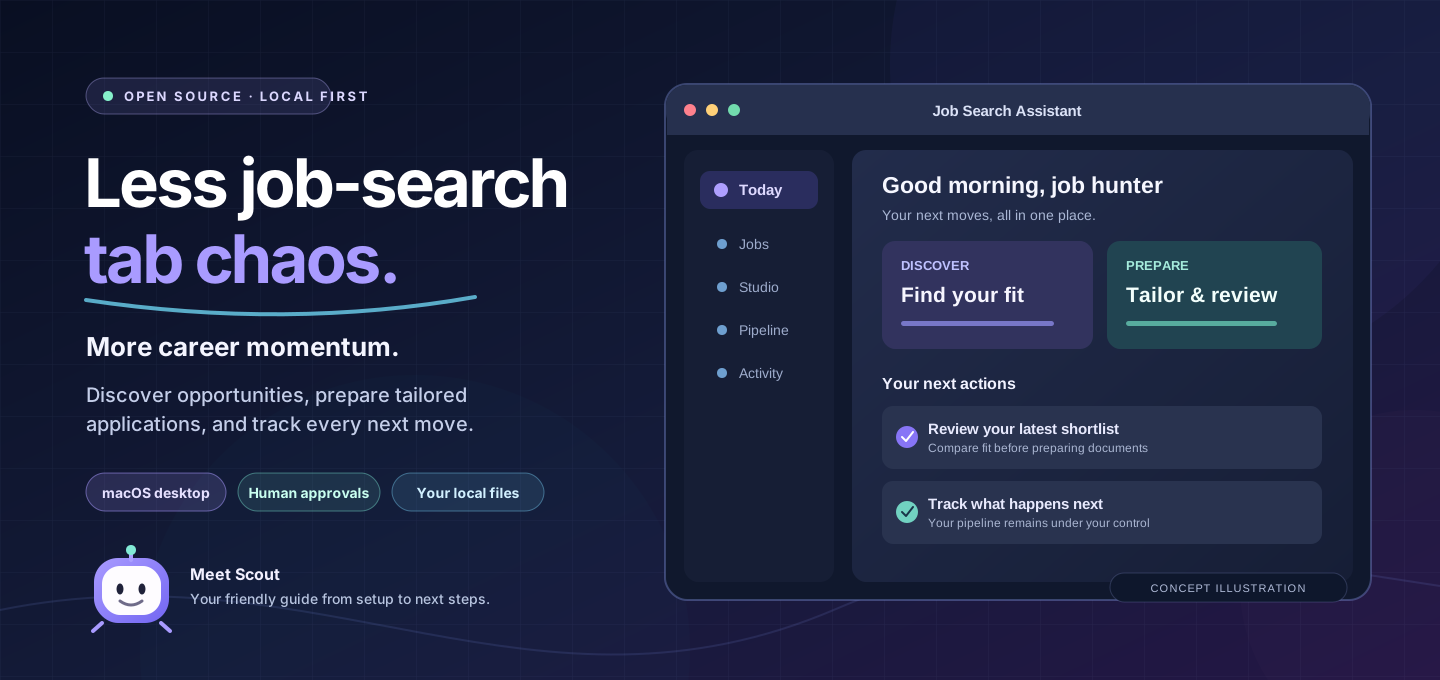
A macOS command center where workflows, agents, documents, and approvals share one screen.
AI Job Search Assistant takes a different route. It's a visual desktop companion for the open-source ai-job-search workflow, turning its command-driven journey into a guided interface.
Instead of treating the agent as a mystery, the app emphasizes visible progress, inspectable documents, and a pause for human approval before sensitive actions.
Apple Silicon source build; no verified packaged installer yet. This app is a separate interface for the upstream project's workflow, not a claim of ownership of the upstream framework. Provider support and prerequisites are documented in the README.
Different technologies and different interfaces. The same design instincts keep showing up.
Keep your job-search records in a workspace you control. Any external provider interaction should be deliberate.
A recommendation or draft is more useful when its inputs, evidence, and limitations are visible.
Automation can prepare and assist. A person still decides what to save, send, and submit.
04 Beyond the first two builds
Selected projects
What began with two job-search projects became a wider engineering practice: enterprise agent workspaces, Angular copilots, AI evaluation, developer tooling, and ways to teach what I learn. Every project links to verifiable work and its limitations.
Six practical systems and products
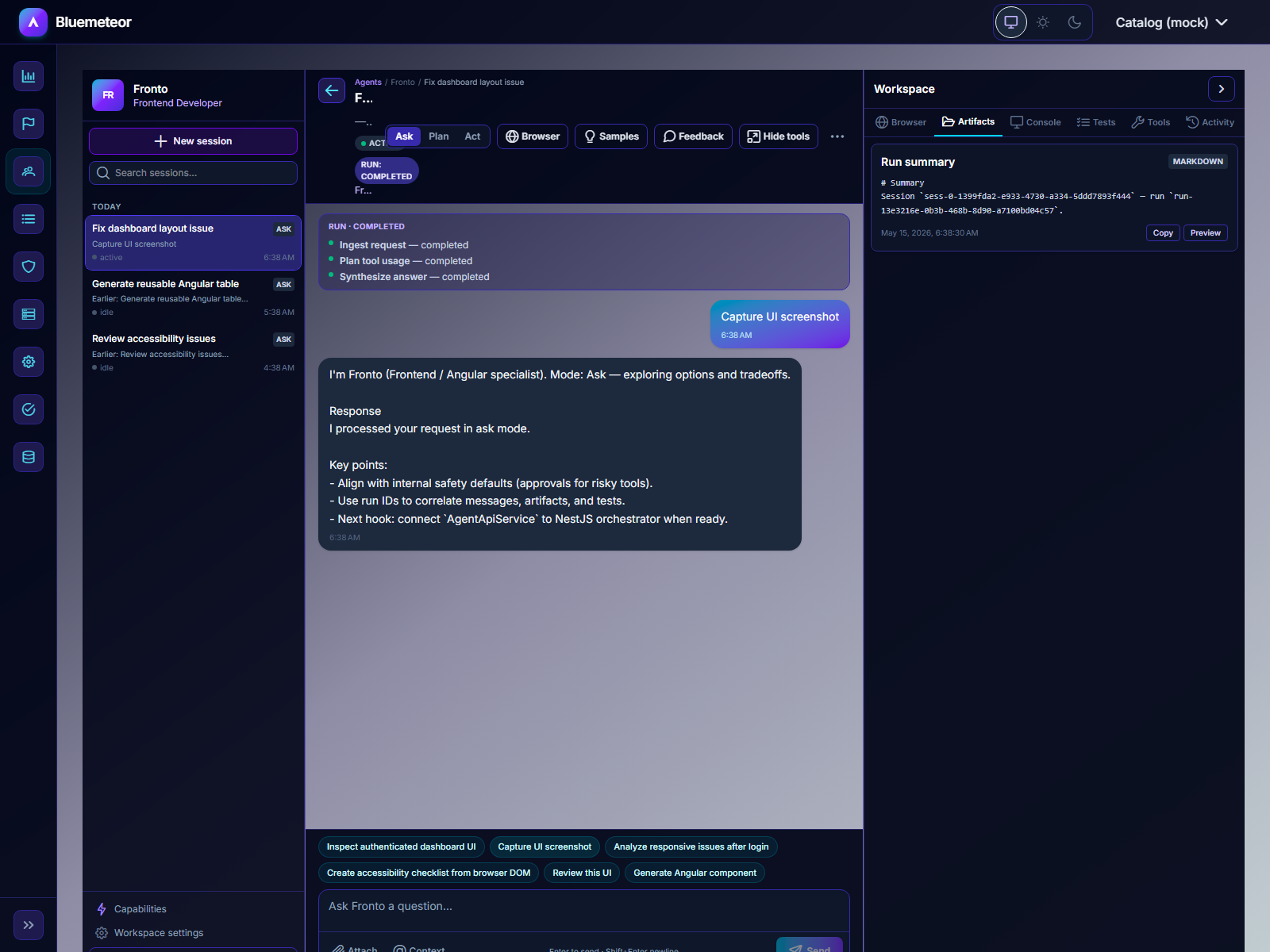 Real repository screenshot
An enterprise agent workspace exploring how Angular, policy-governed tools, and operator visibility fit into a coherent AI platform.
Inspect the proof: Angular workspace and NestJS orchestration surfaces, role guards, explicit approvals, and deterministic resilience scenarios.
Design decision: Keep tool authorization and audit logic behind the frontend boundary. Treat degraded provider, approval, and worker states as first-class product states.
Scope and maturity: An architecture proof with mock-safe workflows, not an enterprise production deployment.
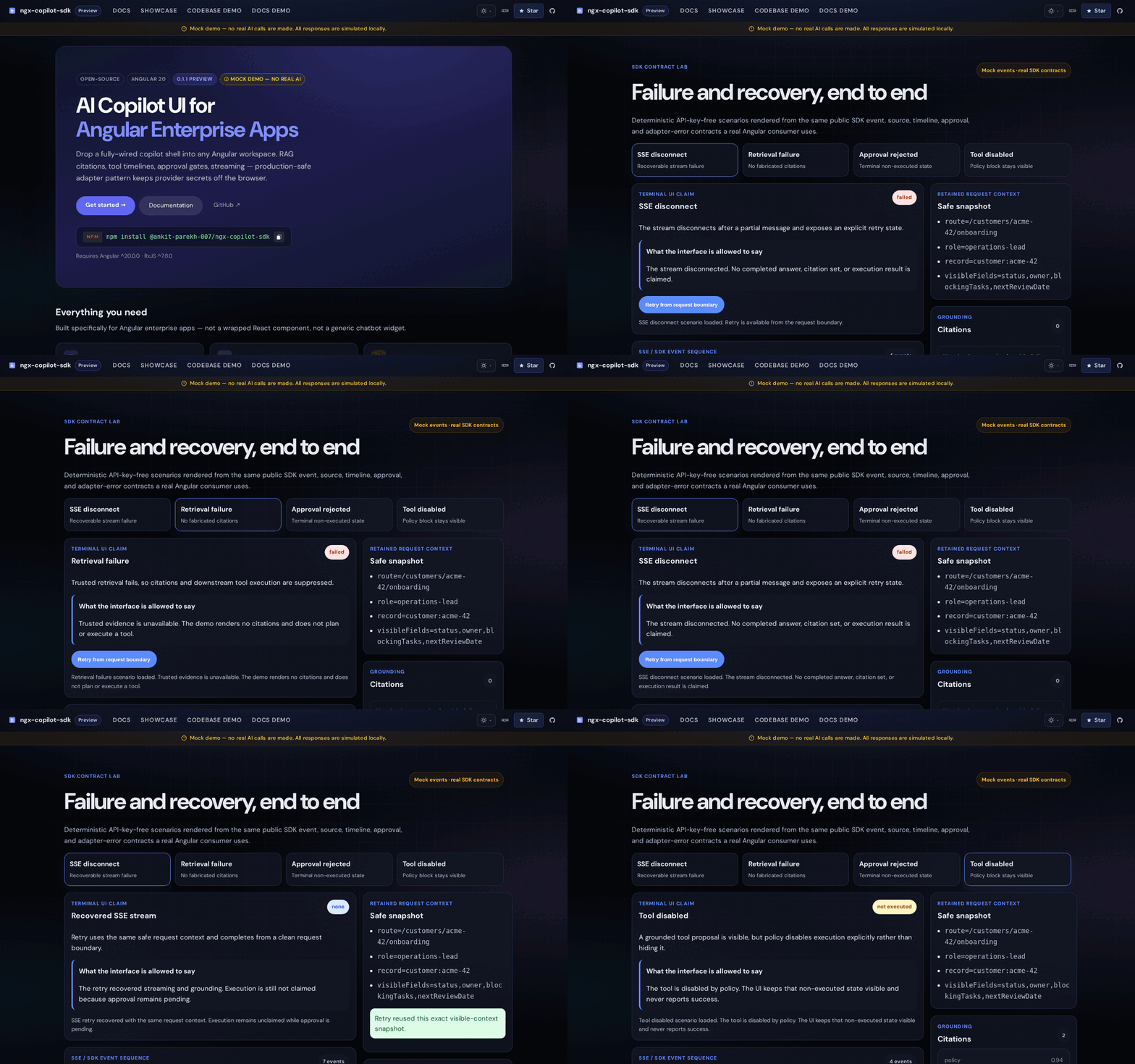 Repository demo capture
An embeddable Angular copilot platform with typed UI contracts, streaming interfaces, retrieval evidence, and backend-owned approvals.
Inspect the proof: Published npm SDK, SSE contracts, retrieval architecture, and an inspectable deterministic Failure Lab.
Design decision: Separate the Angular SDK from backend adapters; keep model credentials, auth, approvals, and retrieval policies on the server.
Scope and maturity: The public Pages site demonstrates the platform; it is not a hosted production copilot.
A B2B evaluation workspace for finding which repeatable AI tasks might use lower-cost models without sacrificing measured quality.
Inspect the proof: Trace ingestion, labeled evaluations, review queues, cost assumptions, approved simulation policies, and offline shadow projections.
Design decision: Measure against a labeled baseline and route only in simulation when quality and risk thresholds are met.
Scope and maturity: There is no live production traffic routing, custom fine-tuning, or verified customer cost saving.
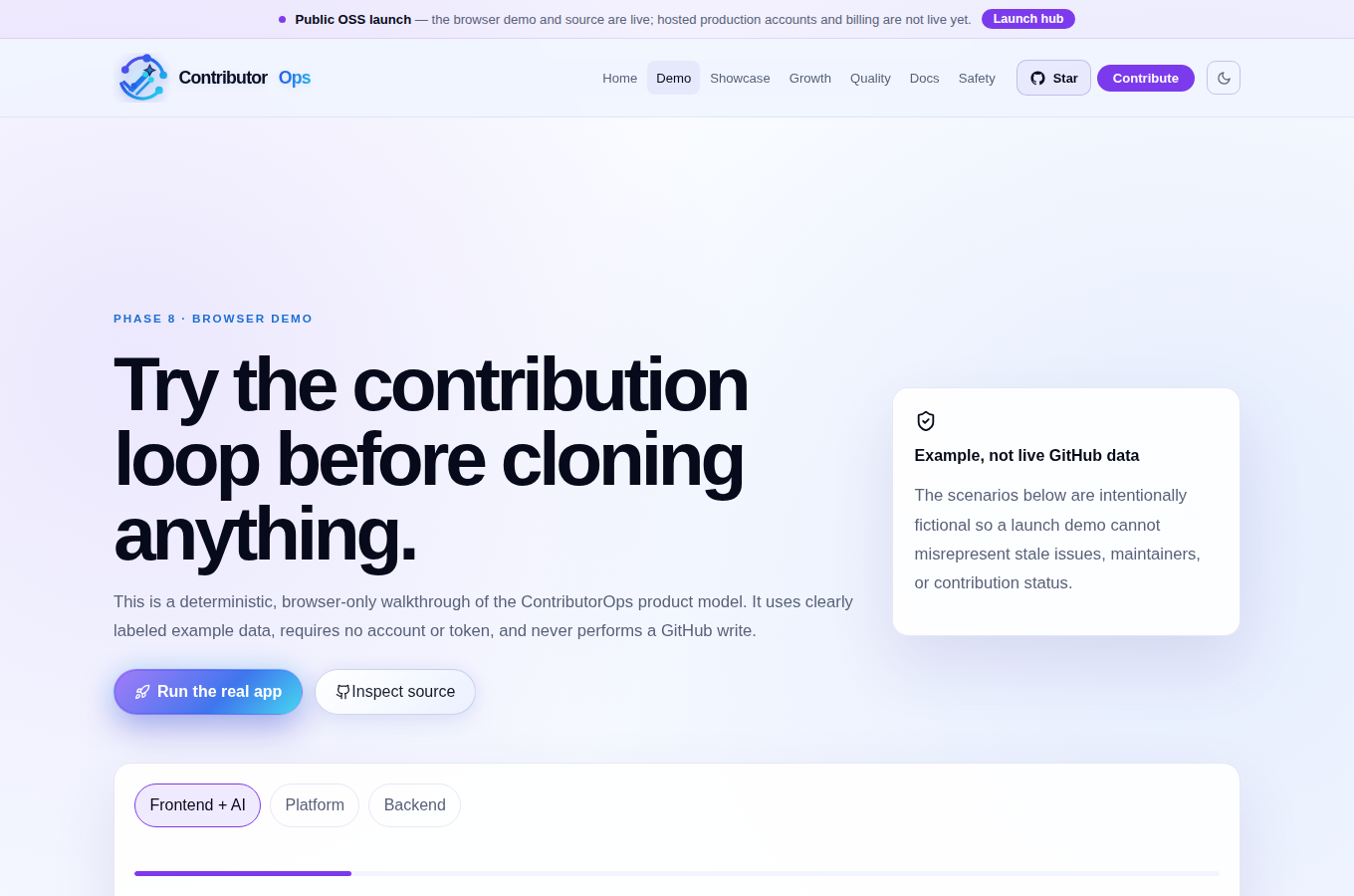 Real browser-demo screenshot
A contribution workflow that helps developers find worthwhile issues, prepare reviewable pull requests, and document what they actually shipped.
Inspect the proof: A confirmed merged Floating UI pull request, plus a demo of scoped planning, validation, authorization, and proof packaging.
Design decision: Require approval scoped to actual GitHub writes; validate repository policy and exact-patch safety before execution.
Scope and maturity: The browser demo uses fictional scenarios. One verified merged contribution is not evidence of a broad success rate.
A privacy-first job-search workspace that keeps applicant data local and produces application drafts from facts the user has verified.
Inspect the proof: v0.2.0 pre-release, source-visible job intake, fit assessment, resume preparation, follow-ups, and local data export.
Design decision: Favor local ownership, provenance, and human-reviewed applications over opaque automation and invented resume claims.
Scope and maturity: Early pre-release software with documented limitations. A product screenshot is not yet published in this repository.
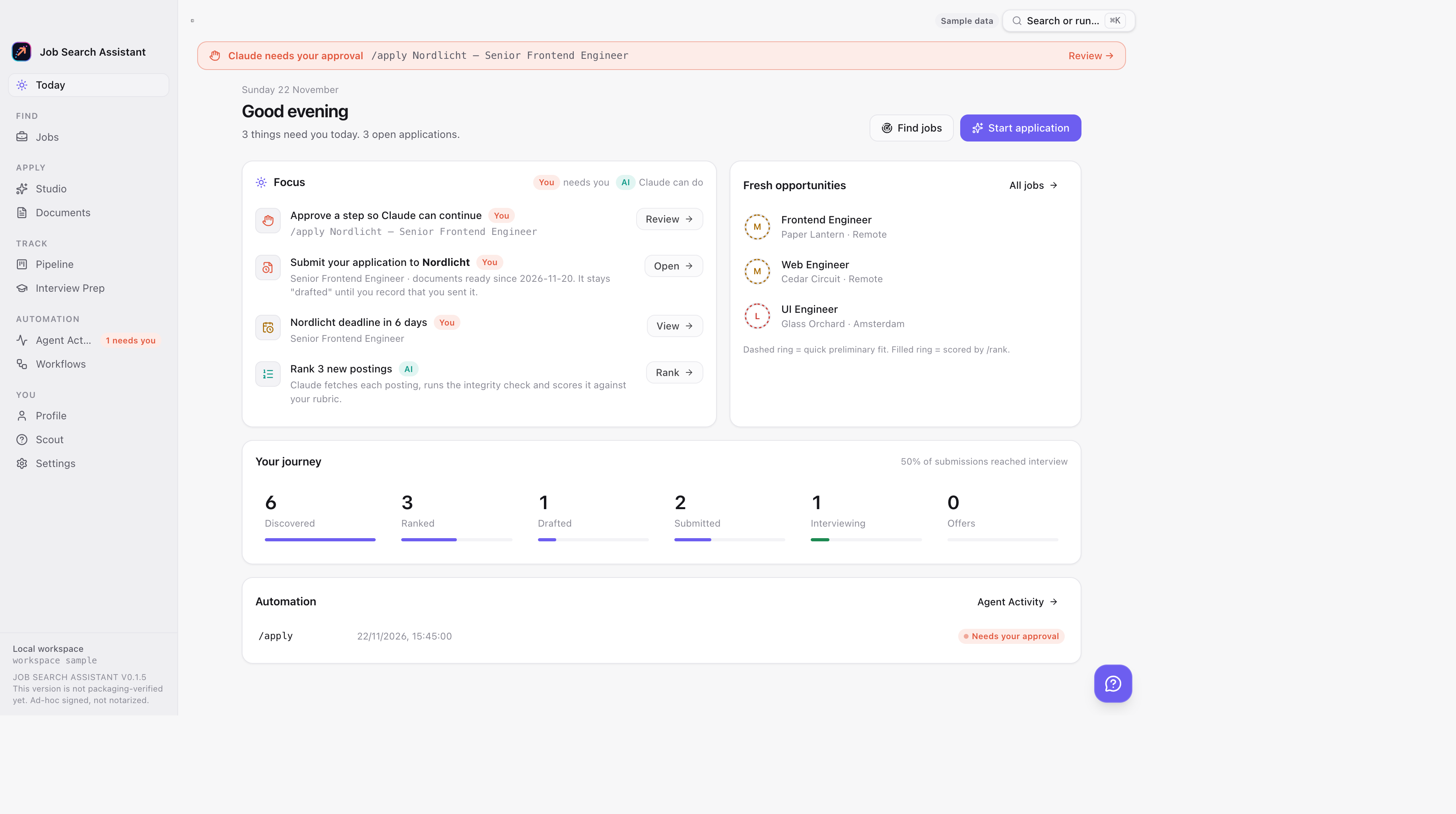 Real app screenshot · fictional demo records
A macOS workspace for seeing AI-assisted job discovery, ranking, application preparation, approvals, and pipeline tracking in one UI.
Inspect the proof: Real desktop interface captures, Tauri host integration, provider capability documentation, and a review-before-action workflow.
Design decision: Use a React frontend and Tauri/Rust host while keeping privileged operations behind explicit approval and local workspace boundaries.
Scope and maturity: It does not automatically submit applications or send emails; its published website is a product site.
Share the methods, not just the results
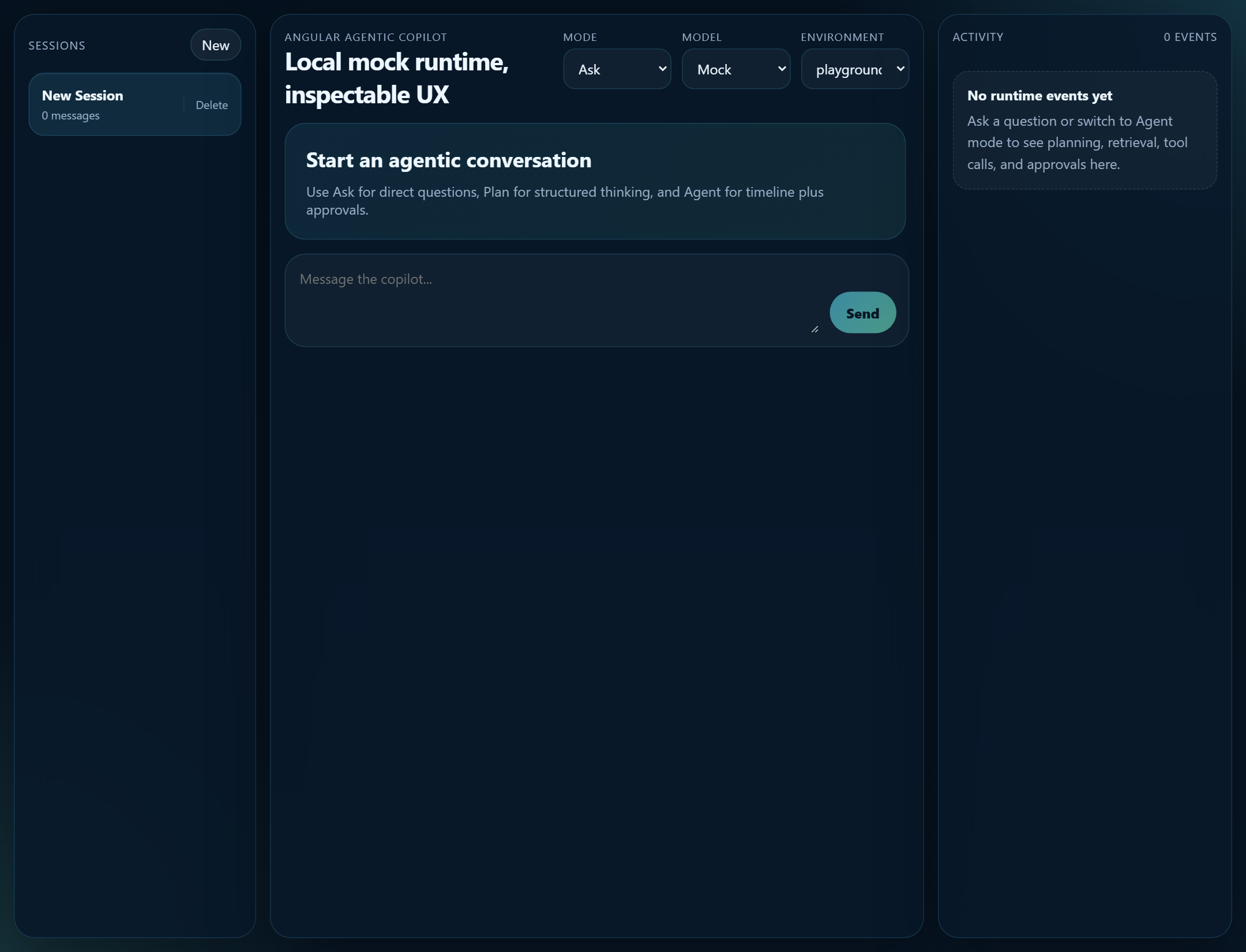 Project screenshot
A project-first engineering academy for model gateways, RAG, workflow orchestration, MCP, agentic UI, and browser automation.
Inspect the proof: Six implemented tutorial systems, architecture-oriented documentation, runnable exercises, and public learning paths.
Design decision: Teach production-minded engineering through inspectable code, boundaries, tests, and tradeoffs rather than prompt-only examples.
Scope and maturity: These are educational implementations; tutorial readiness does not imply deployment in production.
 Project brand artwork
A hands-on path into Forward Deployed Engineering with lessons, field drills, capstones, and customer-facing engineering scenarios.
Inspect the proof: A 21-day core with 60 short lessons, structured exercises, phase projects, and portfolio-oriented practice.
Design decision: Connect practical engineering execution to customer understanding and field delivery in a guided learning path.
Scope and maturity: A free learning resource, not a credential, employment guarantee, or production deployment.
Built openly · Always evolving
Don't take a polished page as proof. Explore the repositories, inspect the implementations, check what's shipped, and see what's still being built.